Dennis Jones
eclectic artwork & other random things

iPad Brushes Vanishing Breed

It seems to me that after this last election, you just don’t see as many blue dogs on the street as you used to…
Broadway Musical

Everyone sing… the Hills are Alive… with the Hound of Music…
Impossibly Happy Children?

A while back, ImagineFX Magazine posted a little blurb about my web site and made a comment on the (quote) “impossibly happy children” I drew. Who knows where these people come up with their crazy ideas…
iPad Brushes Portrait 1

So last night I was trying to watch the Texas Rangers win the American League Pennant against the Yankees because I helped build the Rangers Stadium with my tax dollars back when we lived in Arlington and I wanted to see how my investment was turning out… anyway, I’m not such a big baseball fan (not enough violent collisions or vicious cross checks) and I was having trouble sticking with the game, so I started flipping back and forth between the game and the Pirates Of The Caribbean movie on another channel, but that wasn’t working for me either, so I whipped out my iPAD and did this little picture to keep myself awake until the end of the game… and a RANGERS WIN!
…by the way, this fellow was the guest speaker at our church on Sunday…
iPad Brushes Gator

What I am discovering as I do these pictures on an iPad with a blunt little Pogo stylus, is that I have to work much looser than I usually do… and that’s probably not such a bad thing for me to do on a regular basis…
iPad Brushes Batman

I liked the way this one looked at this point, so I just stopped and said finished!
iPad Brushes Tiger

Here is one last experimental piece using the Brushes App on my iPad before I actually try to do something cool with the program. I think I have finally found my “go to” brush through this process, which was the main reason for doing these first pictures.
iPad Brushes Take Two
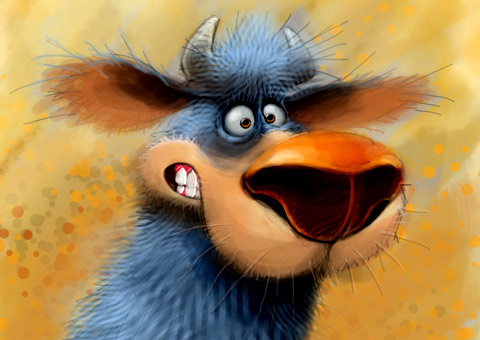
This is my second attempt to do a picture on an I-Pad using the Brushes App. Just like the first one I did, I way overworked it, but my primary goal has been to get familiar with the program and see how the brushes in this app react with no screen pressure sensitivity, so I go way past any reasonable stopping point in order to keep experimenting.
Old Number One
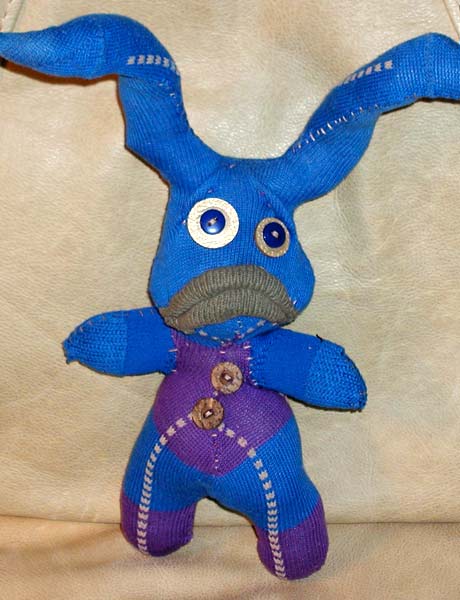
This was my very first attempt at making a Sock Creature.
Green Flying Monkey
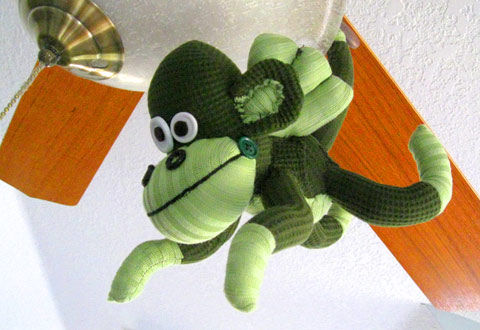
Last Sunday the early football games on tv were kinda lame, so I grabbed a needle and thread and whipped out a new flying sock monkey…
iPad Brushes App
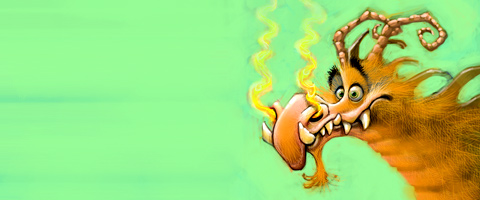
Over the past couple of months I have experimented with several different iPad painting apps… SketchBook Pro, Colors!, and Art Studio to name a few. By far my favorite is Brushes. Until Wacom comes out with a self contained Cintiq the size of an iPad (I won’t hold my breathe) this will probably be my painting App of choice.


BIBLICAL PORTFOLIO


EPIC FANTASY PORTFOLIO


FANTASY ANIMAL PORTFOLIO


VEHICLES PORTFOLIO


SPORTS PORTFOLIO


HISTORICAL PORTFOLIO


RANDOM PORTFOLIO


CREATURES PORTFOLIO


 Dennis Jones